
☰
Marks every antibody cited on a page with what independent, knockout-controlled testing found — for the application it was actually used in. Hover any mention to see the data behind it.
The antibodies we have characterised have been used in more than 29,000 published papers, according to CiteAb — the extension tells you which ones you are looking at.
Works in Chrome, Edge, Brave and Firefox. Free, and always will be.
Real papers, marked by the extension. Each mention is coloured for the application that paper used it in; hovering one opens the card behind it, with the knockout-controlled image the result rests on.
A mark is a result, not advice: each one reports how that antibody performed when it was tested against a genetic control under the community consensus protocols, in the applications those protocols cover.
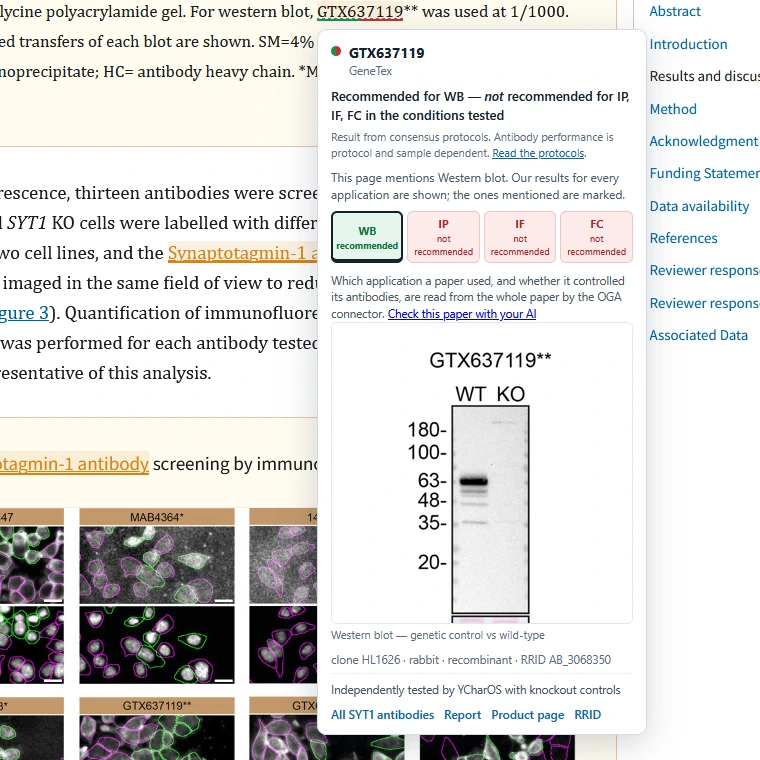
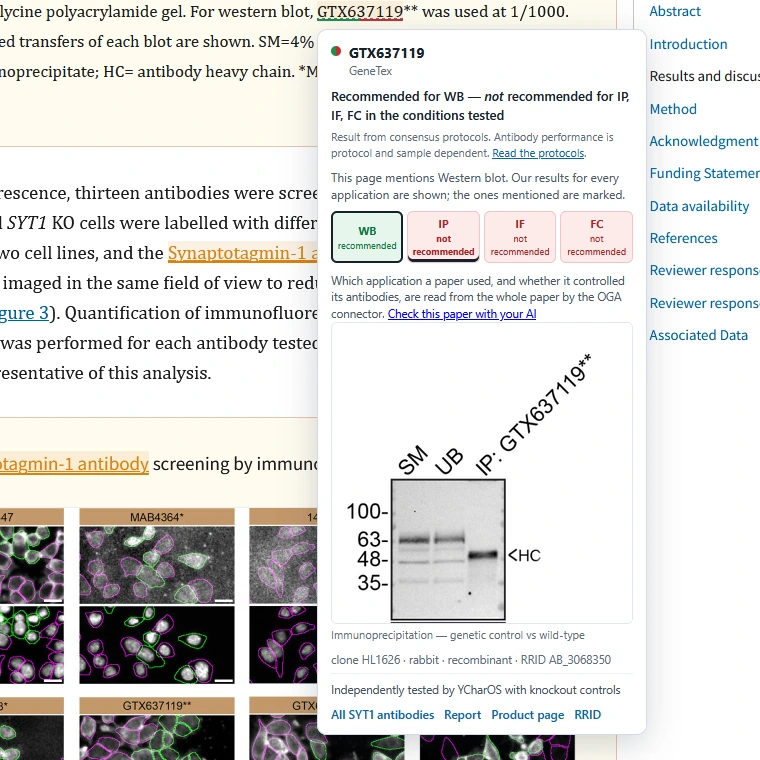
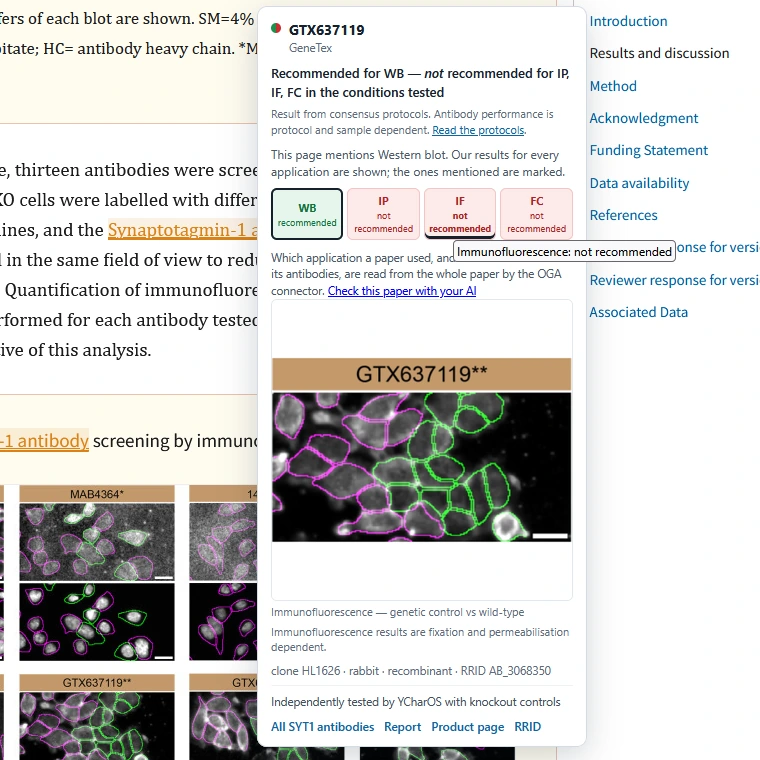
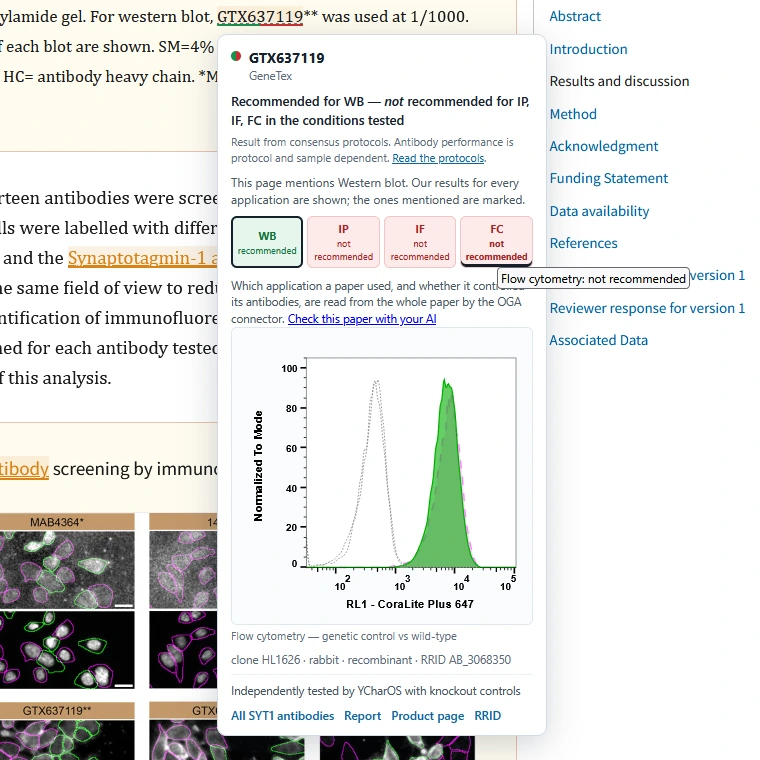
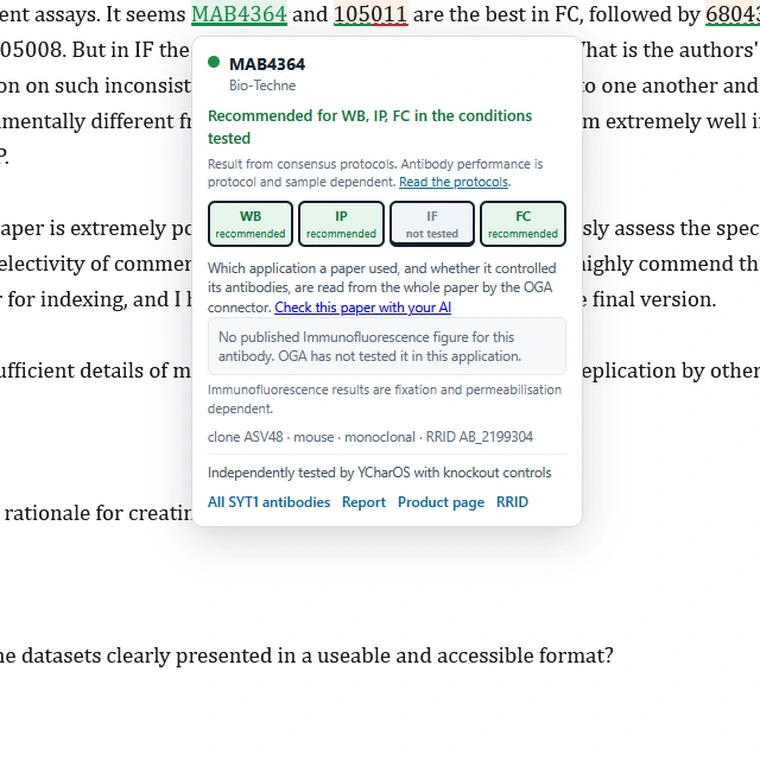
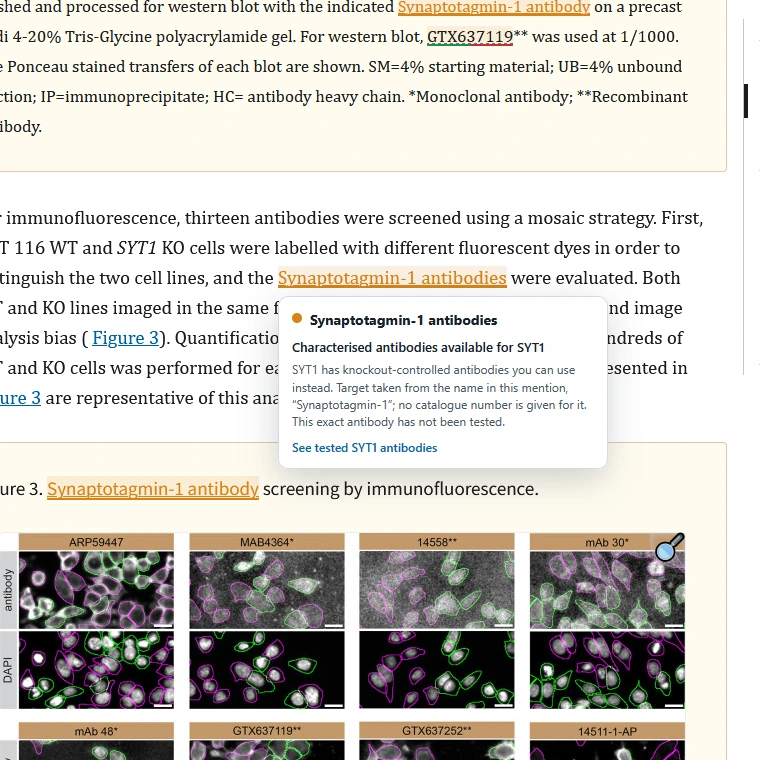
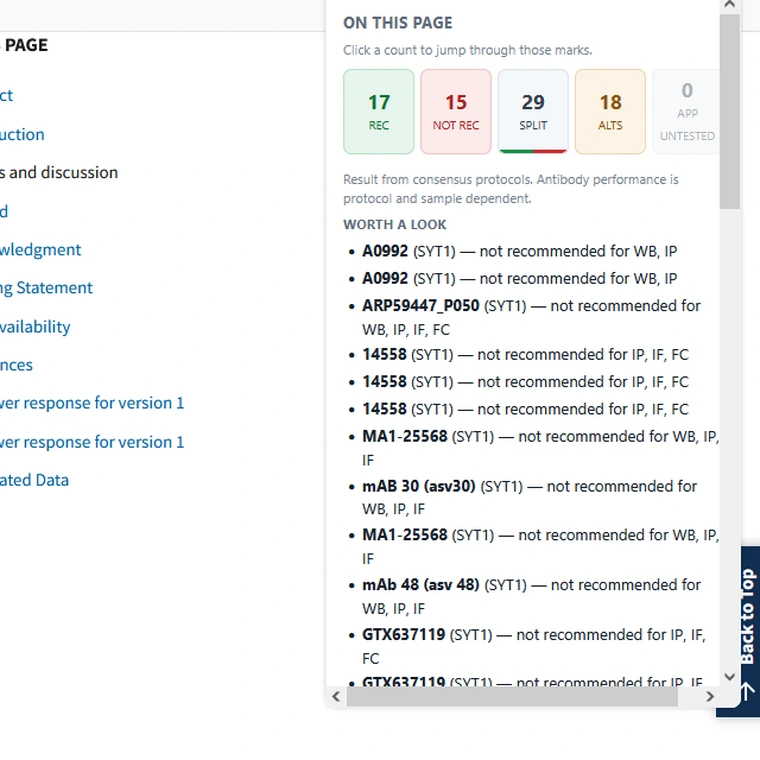
Results are given per application. An antibody that works on a Western blot may fail in immunofluorescence, so the extension reads the application from the surrounding text and colours the mention for that application. Of the antibodies we have published against TDP-43, two thirds pass in one application and fail in another.
| Colour | Meaning |
|---|---|
| Recommended | Tested with knockout controls under the consensus protocols, and recommended for the application used here in the conditions tested. |
| Not recommended | Tested with knockout controls under the consensus protocols, and did not meet the bar for the application used here in the conditions tested. Where the page doesn't say which application, this means it did not meet the bar in any application tested. It is a result under one protocol in one cell line, not a judgement on the reagent everywhere. |
| Split | Recommended in some of the applications tested and not in others. Either the paper used it for several applications with a different result in each, or it never said which application it used, so all four assessed are shown. The hover card says which, and lists the results. |
| Alternatives exist | This antibody has not been tested, but its target has. Validated alternatives are available. |
| Application untested | In the dataset, but not tested in the application this page used it for. Antibodies we hold no data on are left unmarked. |
Results are based on consensus protocols. Antibody performance is protocol and sample dependent, and these results do not validate or invalidate experiments in other assay systems or sample types. Read the protocols.
Immunofluorescence results are fixation and permeabilisation dependent.
The dataset is downloaded and stored in your browser, and all matching happens there. No page text, URL or reading history is sent to us or to anyone else. An unpublished or under-review manuscript stays private.
The extension contacts this site for exactly two things: a once-a-day refresh of the validation data, and loading a validation image when you open a card. Neither carries any information about what you are reading.
Many universities and institutes manage Chrome, Edge and Firefox centrally and allow only approved extensions. If Add to Chrome does nothing, or Firefox refuses the install, that is usually what has happened — and it is a decision your IT team can reverse. They generally need three things: what it does, what it can reach, and its identifier.
I'd like to install a browser extension called Only Good Antibodies — validation at a glance. It marks antibodies cited in a paper with what independent, knockout-controlled testing found, which helps me avoid buying reagents that have been shown not to work.
It stores its dataset locally and does all matching in the browser. No page text, URL or reading history is sent anywhere — the manifest declares no data collection. It contacts one domain, onlygoodantibodies.co.uk, about twice a day to refresh that dataset and to load an image when I open a card.
It asks for three permissions — storage, alarms and scripting — and by default runs only on a published list of 196 journal and preprint domains. It has no access to tabs, cookies, browsing history or downloads. Anything wider is optional and off unless I turn it on.
The details you'll need to allow it are at https://onlygoodantibodies.co.uk/extension/.
| Chrome / Edge ID | pkmfholpagoaiigfpbkalnpipkiiidlp |
| Firefox add-on ID | extension@onlygoodantibodies.co.uk |
| Firefox install URL | https://onlygoodantibodies.co.uk/extension/firefox.xpi
Mozilla-signed. Updates come from https://onlygoodantibodies.co.uk/extension/updates.json. |
| Permissions | storage, alarms, scripting — and nothing else. No tabs, cookies, history or downloads. |
| Sites it runs on | A named list of 196 journal and preprint domains, in the manifest. Supplier catalogue pages and “any site” are optional permissions, off until the reader switches them on. |
| Data collected | None. The manifest declares no data collection, and matching happens entirely in the browser. |
| Network access | One domain: https://onlygoodantibodies.co.uk/*. A daily dataset refresh and an image when a card is opened. |
For an administrator who already manages browsers. Allowing lets people install it if they want to; force-installing deploys it to everyone. Either is fine — nothing about the extension needs it to be mandatory.
Chrome and Edge — add the ID to ExtensionInstallAllowlist,
or to ExtensionInstallForcelist to deploy it:
ExtensionInstallAllowlist = [ "pkmfholpagoaiigfpbkalnpipkiiidlp" ]
Firefox — an ExtensionSettings entry. The extension is
distributed by us rather than through addons.mozilla.org, so the install URL is ours:
"ExtensionSettings": {
  "extension@onlygoodantibodies.co.uk": {
    "installation_mode": "allowed",
    "install_url": "https://onlygoodantibodies.co.uk/extension/firefox.xpi"
  }
}
Use force_installed in place of allowed to deploy it to
everyone. Firefox needs install_url either way, because the add-on is
not listed on addons.mozilla.org.
Nothing here is only in the extension. Every verdict it shows is on the gene pages of this site, in the public API, and through the MCP connector, which needs no browser extension at all. The extension saves you looking things up; it is not the only way to get the answer.
On journal and preprint sites — Nature, Science, Cell Press, ScienceDirect, Wiley, Springer, PLOS, eLife, Frontiers, MDPI, OUP, bioRxiv, medRxiv, PubMed and PMC among others. Supplier catalogue pages can be switched on in settings, so you see the same results while choosing what to buy.
It reads the HTML full text of a page. A paper opened as a PDF is not annotated.
This is the first public version. The most useful thing you can do is open papers you know well and check the marks against what you already believe about those antibodies. Worth a message:
Say which page you were on and what you expected — get in touch. A store review helps other people find the extension; the specifics reach us faster here.
The extension reads a public snapshot of the dataset, refreshed daily:
The same data is available to AI assistants through our MCP connector, so an assistant reading a manuscript can flag the same antibodies. If you are building something with it, tell us — we would like to help.
Spotted an antibody we haven't tested?
Nominate a gene